Having done a couple months of online classes, I started to notice that there are quite a few things that make them more fun.
One of those things, is allowing students to draw on the screen. While most teachers block the annotate feature, I decided to use it during the classes. I tested it with ‘places in town’ and ‘clothes’ but I’m pretty sure you can use for any vocabulary topic.
First, you introduce the vocabulary in your favorite app. In my case, it’s quizlet. It allows doing a quick presentation and then students can play/practice the vocab in their own way. Learn/test/match mode… whatever. I usually give them about 5 minutes to play with the words.
https://quizlet.com/536671198/places-in-town-flash-cards/
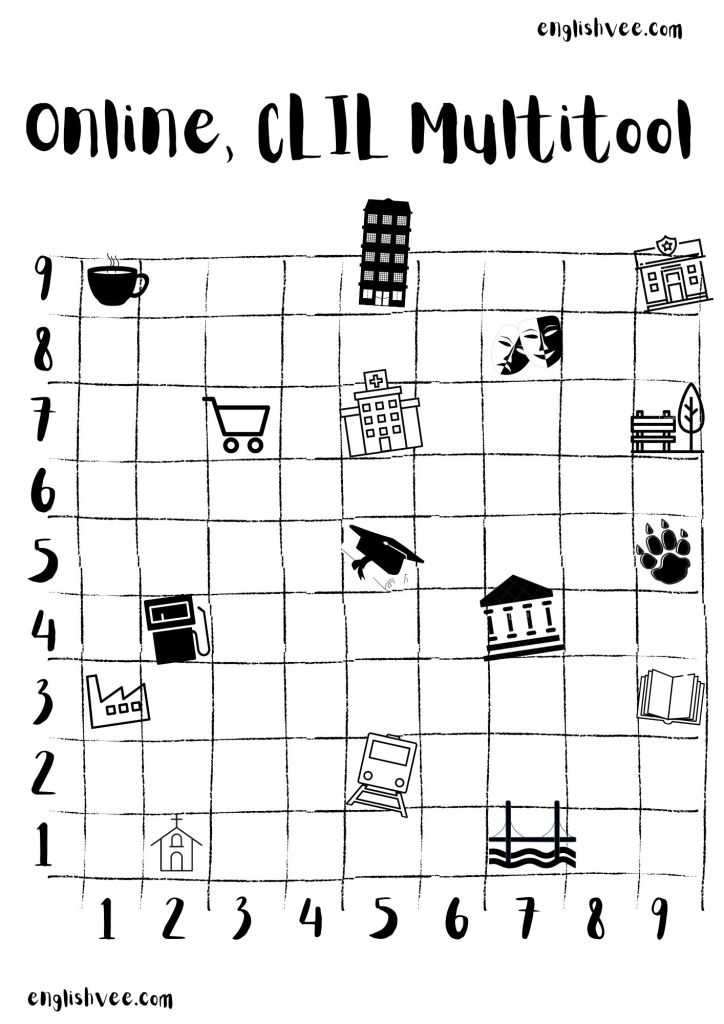
Then, it’s finally time to use the multitool. I put some visuals on the grid. About 15 pictures seems to be just the right ammount.
The next step is to tell kids how coordinates work. Give a couple of examples: (2,1) – Church; (9,3) – Library, etc. They usually get it straightaway.
After that you can come up with lots of different ways in which you can use the multitool. Some of the things that worked well during my classes are:
- One student gives coordinates and picks a student who’s supposed to give the name of the place.
- One student gives the name of a place and picks a student who’s supposed to give the coordinates.
- Drawing lines form one place to another.
- Drawing additional places on the grid.
 don't overthink shit